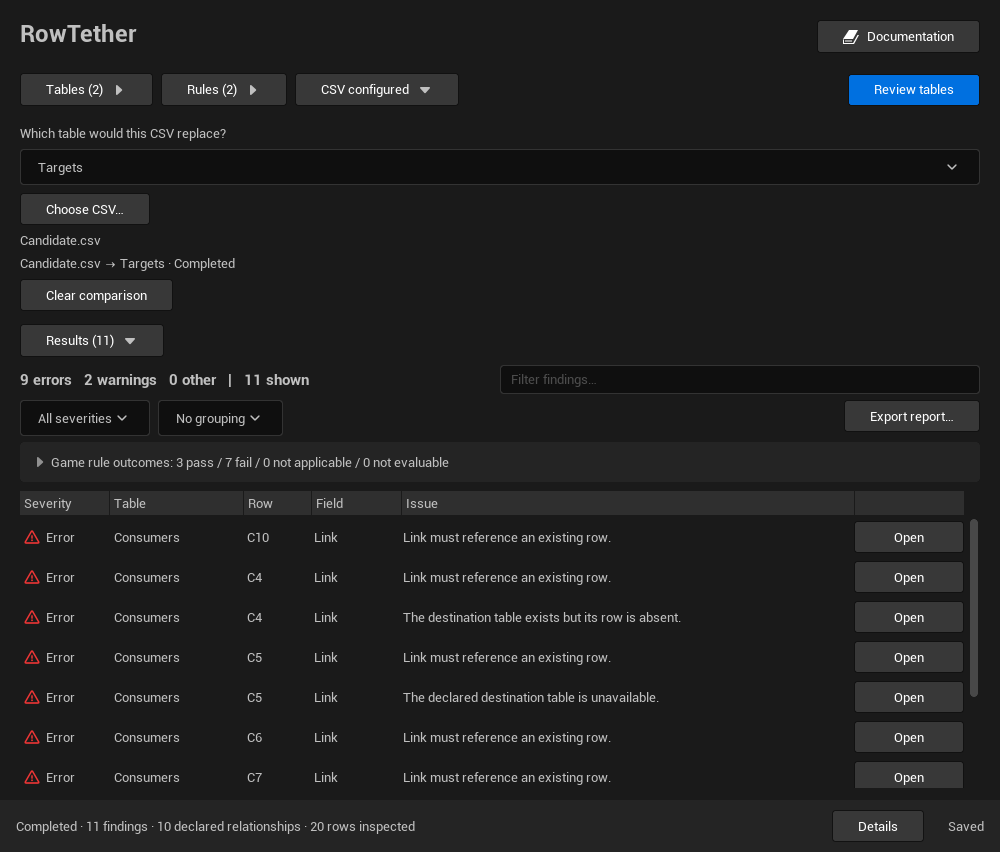
CSV comparison
See which selected consumers use rows that a candidate CSV would remove.
Choose the candidate
- Select the consumer tables and the destination DataTable in the Content Browser.
- Use that selection in RowTether and load your profile if needed.
- Choose the destination from the selected DataTables and choose the candidate CSV. Either order is valid; once both are selected, the comparison starts automatically. Clear comparison returns to current-table checks.
- Read the status and coverage. Removal findings identify the consumers of destination rows absent from the candidate; they do not import the file.
Use the bundled removal example to see a known result before comparing your own data.
Accepted file format
Choose a UTF-8, comma-separated file. Quoted fields and doubled quotes are accepted. The first header must be Name, the exported ---, or your configured import key. Remaining headers must match the authored schema columns.
Duplicate headers, duplicate case-insensitive row names, malformed quoting and inconsistent field counts are rejected. A case-only rename is informational because Unreal row identity uses FName. The comparison checks row identities and schema headers; it does not execute cell import hooks or validate every cell as a full Unreal import would.
What the preview tells you
The preview compares row keys and column headers. It does not import values, execute custom import hooks, rename rows or repair references. Only consumers within your selected scope are reported. Review the candidate’s other changes separately before importing it into Unreal.